MOCHIBOT / ANDROID · HARMONYOSYour AI agent.
Reminders spoken aloud.
Connect your AI agent for chat, files and Skills. Currently supports OpenClaw. Supported phones can speak reminders while locked after system push and permissions are configured.
No registration · Your own OpenClaw · Optional phone client
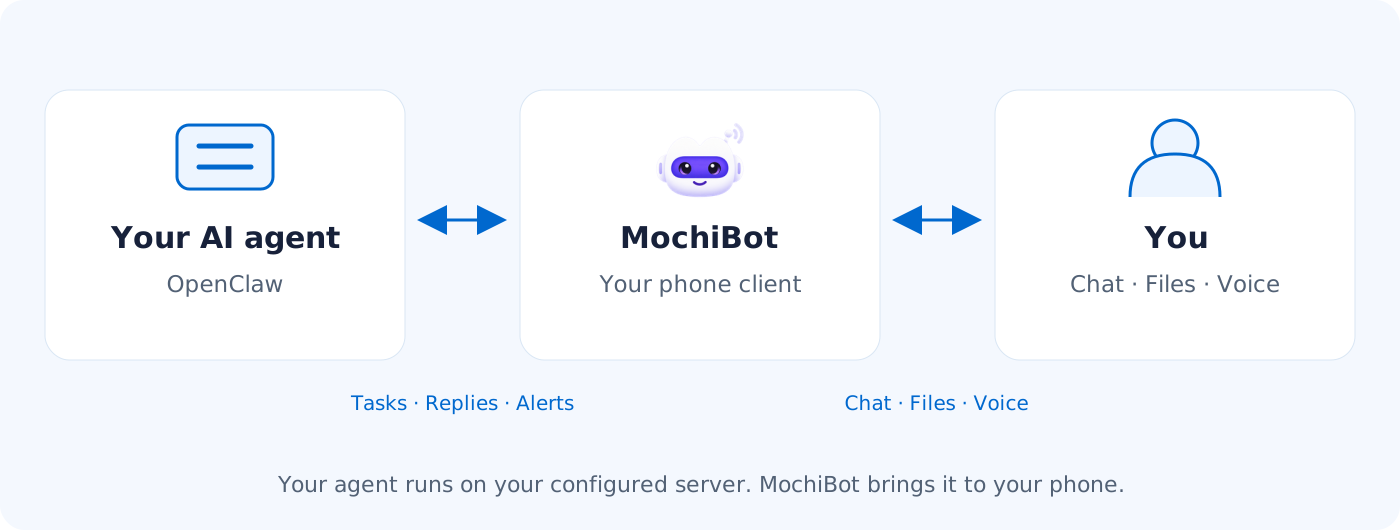
How your AI agent connects to you
One deployment, a personal space for everyone
For family routines, individual work or friends sharing a server: each person connects their own MochiBot to a separate agent and workspace.
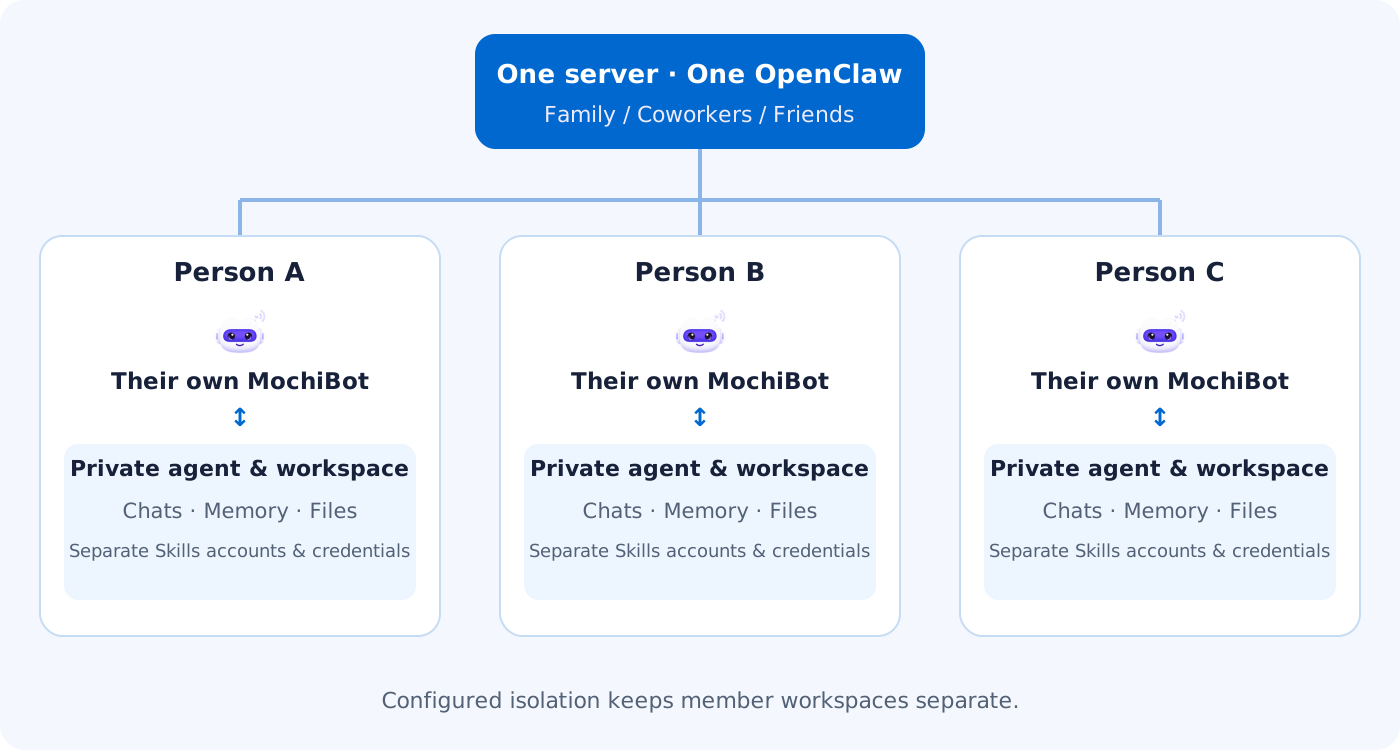
Follow the isolation guide. Server administrators retain access, and computing resources are shared.
Handle everyday tasks from your phone
Chat and files
Send consecutive messages or a file on its own. Review results in task history.
View →Spoken reminders
Adapted system-push channels can ring and speak while the phone is locked.
View →Latest Skills
Open the catalogue to discover new capabilities and ask your assistant to install them.
View →Download MochiBot
Android / HarmonyOSMochiBot 1.0.0
1.6 MBDownload directly, no account needed
Release notes and checksum
- Unified AI robot icon, default assistant avatar and purple theme.
- Switch between Chinese and English; spoken reminders support both languages.
- Open MochiLab and follow links from chat.
- Check for updates and download verified official packages.
SHA-256
d9f4963d8eb31247e923207502eb141224ff9c332b1e34aa6759e9e8598e80f1Server-side deployment files
Use these on your OpenClaw server. They are not phone apps.
Connect your own OpenClaw in three steps
Prepare your OpenClaw
Deploy OpenClaw, connect a model and confirm your phone can reach the server.
Generate a pairing QR
Install the server connector and run the connection command in the guide.
Scan and confirm
Open Connection in the app. Check the server and agent, then confirm pairing.
A look at the app
 MochiBot · Your AI agent, with spoken reminders. Product illustration.
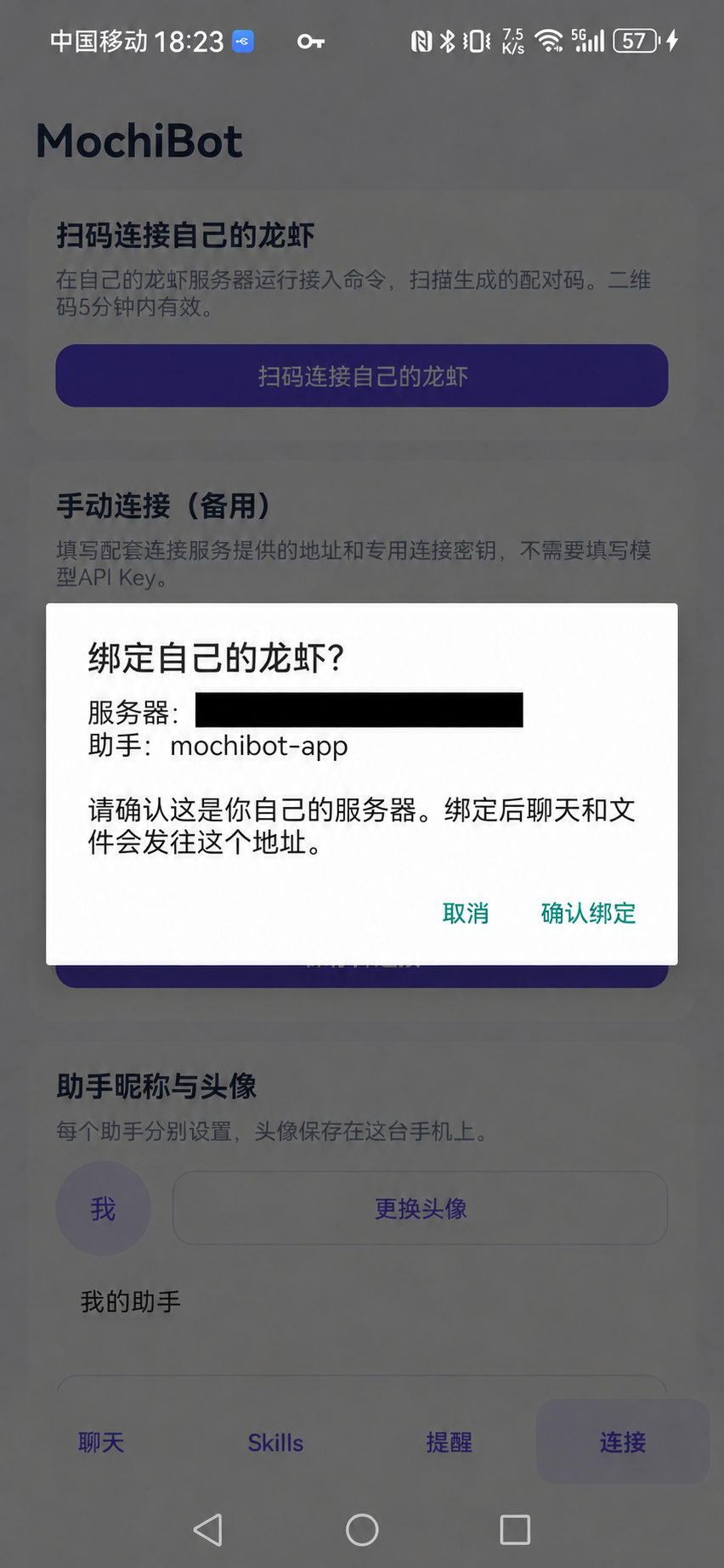 Confirm the server and agent (IP covered)
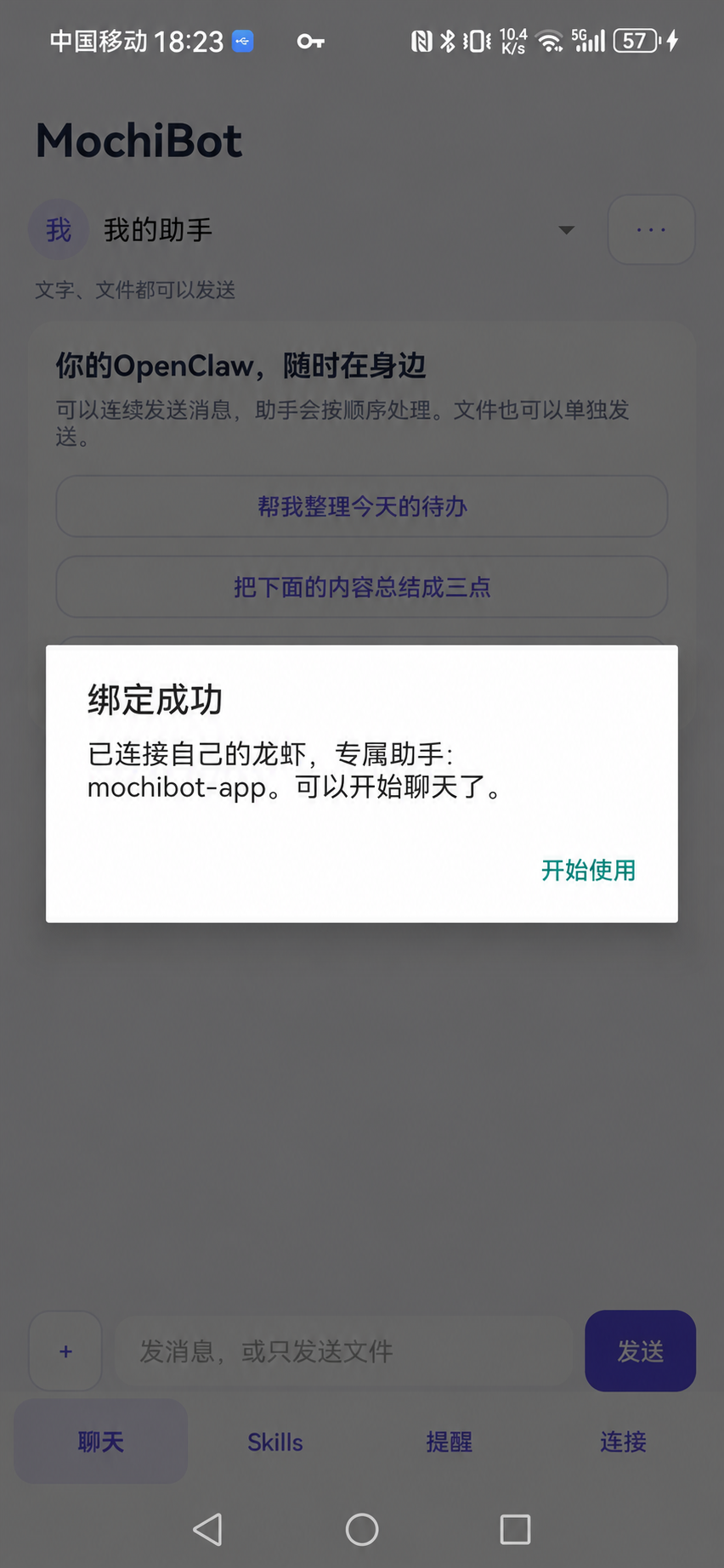 Pairing succeeded
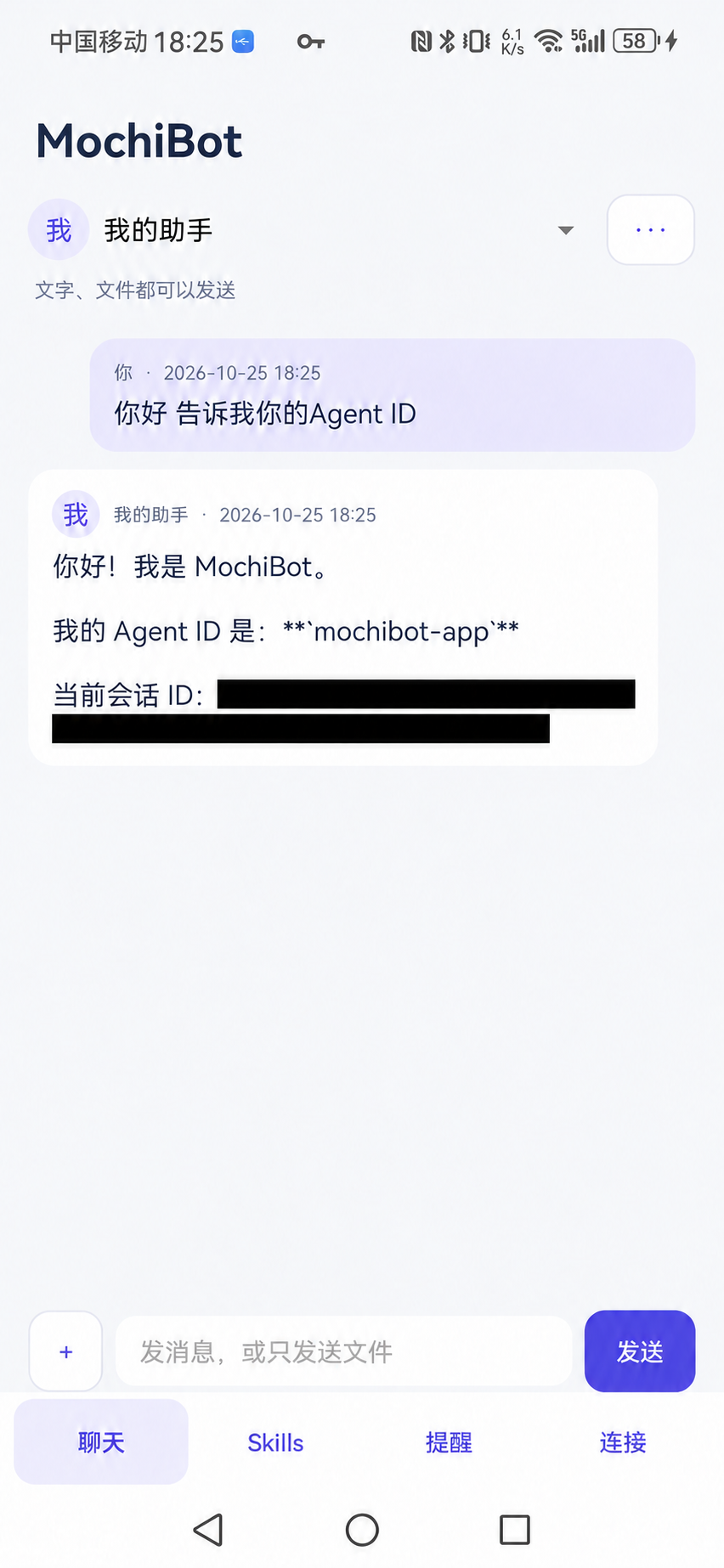 Chat with your assistant (session ID covered)
Spoken reminder support
Spoken reminders require a supported device and the appropriate push, notification and background permissions.
Supports Android 8.0 and later, and HarmonyOS devices that can install Android apps. Choose local scheduled reminders, system push or compatible background reception according to your device.
Common questions
Do I need an account?
No MochiLab account is needed for downloading, connecting or chatting. Connect an account when downloading our Skills.
Does it replace other chat clients?
It is a recommended optional client. Choose the chat tool you prefer.
Where do chat and files go?
They go to your configured server. A configured relay handles the traffic it forwards. Cloud models receive task content; a local model with no cloud fallback needs no third-party model API.
Can one server run independent BOTs?
Yes. Follow the isolation guide for separate workspaces, sessions, files and Skills accounts. The server administrator retains access to server data.