Family members, colleagues or friends can share a host while keeping separate assistant data. First complete the Ubuntu setup ↗ and verify the administrator's cloud model and chat. Run these commands in that server's terminal.
1. Install the App on each phone
Open the download page ↗ in each phone's browser, download and install the latest APK. Use 1.0.0 build 19 or later, then open Settings. Each person does not need a Unix login or USB debugging.
2. Create Alice and pair her phone
sudo mochibotctl member-add alice --name Alice
alice is the stable member ID; Alice is the display name. IDs use lowercase letters, digits or hyphens, up to 20 characters. The command creates a dedicated service account, assistant service, data directory and pairing QR. People do not need to SSH into these service accounts.
Alice opens Settings → Scan to connect on her phone, scans her QR, verifies the server and confirms. She can chat immediately using the administrator's model; she does not enter a provider Key. Do not share Alice's QR with Bob.
3. Add another person
sudo mochibotctl member-add bob --name Bob
sudo mochibotctl member-list
Bob scans only Bob's QR. The list should show both members enabled with active services. Use a different member ID for each person; changing only a phone's display name does not separate data.
4. Renew a QR or add Alice's second phone
sudo mochibotctl member-pair alice
This generates a new QR for the existing assistant. Each QR expires after five minutes and initially binds one device; previously bound phones remain valid. Alice's second phone shares Alice's assistant and server-side records. For a different person, create a new member instead.
5. Verify isolation
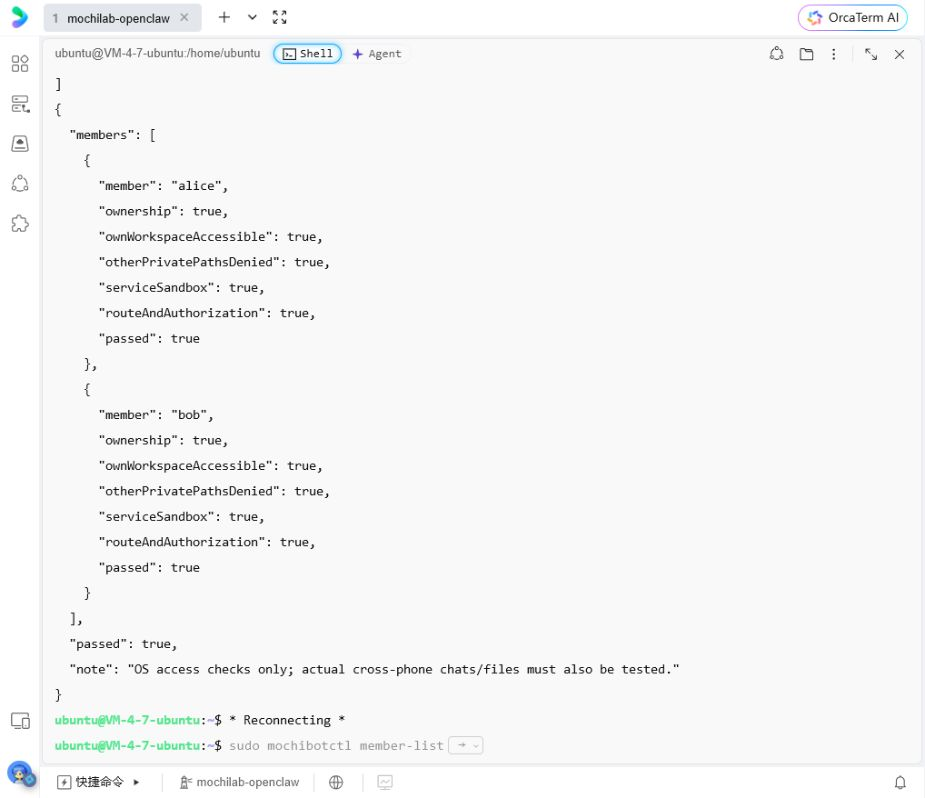
sudo mochibotctl member-check
sudo mochibotctl doctor
Require passed: true for each member and healthy, model-configured services. Resolve failures before inviting more users. Each person should send a different test message and attach a different harmless text file, then request a summary. Verify separate histories, replies and files. Test local reminders on each phone too.
6. Disable or restore one member
sudo mochibotctl member-disable bob
sudo mochibotctl member-list
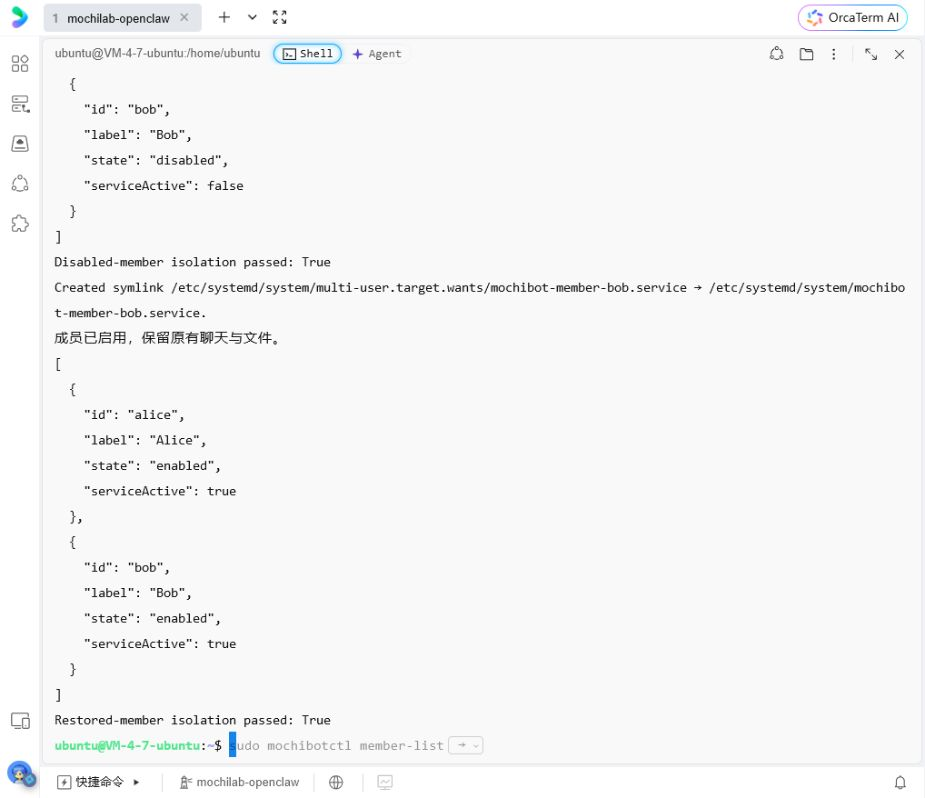
Bob's entry and service stop; Alice should remain usable. Disabling preserves stored data and existing phone caches. To restore:
sudo mochibotctl member-enable bob
sudo mochibotctl member-list
Bob's existing paired phone remains authorized. You do not need to recreate the member.
Models, costs and privacy
The administrator selects the shared provider/model in App Settings. Each member has a separate Unix UID, service, workspace, chat store, files, sessions, memory and credentials. Sharing the model does not share conversation history. Model switching affects all members' later requests and waits for active tasks to finish.
The administrator pays provider API costs. Members do not receive the administrator's Key. Per-member monetary caps are not included; use provider budgets and usage alerts.
The host administrator still has system maintenance and data access. This is isolation between members, not encryption against the server owner. Requests are processed by the selected cloud provider.
The current limit is eight additional members, not eight guaranteed full-load simultaneous requests. Capacity depends on RAM, CPU and provider limits. Initial tools handle files in each member's workspace, without host shell, arbitrary software installation or cross-member tools. WeChat and Telegram can be other OpenClaw channels, but this installer does not configure them automatically. A MochiBot QR is only for MochiBot.
A member cannot connect
Check member-list for disabled status, then run member-check. For Bob's service errors:
sudo systemctl status mochibot-member-bob.service --no-pager
sudo journalctl -u mochibot-member-bob.service -n 50 --no-pager
The first command shows service status; the second shows the last 50 log entries. Renew pairing with member-pair bob, not a full server reinstall. Never publish pairing codes, tokens or private configuration.