MOCHILAB / GUIDE
Mac: install OpenClaw and start chatting
Choose the Mac app or CLI to run locally or connect to a remote Gateway.
Check macOS first
Use About This Mac to identify your system and chip. OpenClaw.app requires macOS 26.2+. For earlier systems, the Node CLI/Gateway route supports macOS 13.5+ with the official Node 24/26 binaries. Official macOS requirements ↗
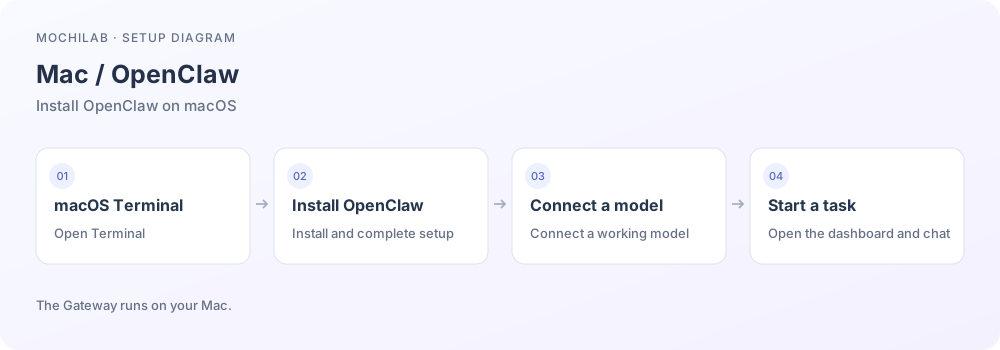
Choose one route below, or connect to a Gateway you already run.
A. Native app
Follow the official macOS page to a release containing an Apple Silicon, Intel or Universal Mac application. Check that the release includes the Mac app. Install and launch OpenClaw.app; set up This Mac or connect your existing remote host. Connect your model and send a test message. Grant optional device permissions as needed. App setup and downloads ↗
B. Terminal CLI
Open Terminal and run the official installer:
curl -fsSL https://openclaw.ai/install.sh | bash
Follow its model setup prompts; keep API keys private. Run openclaw onboard if setup was skipped. The installer checks runtime requirements; use the Node guide ↗ if you manage Node yourself. Installation ↗
Start a CLI background service
Stop a foreground quick-start Gateway with Ctrl+C first:
openclaw gateway install
openclaw gateway status
openclaw dashboard
macOS uses a LaunchAgent. Confirm a running service and successful connection check. If the native app manages your Gateway, keep that service instead. Gateway on macOS ↗
Use an always-on remote host
Sleeping a laptop affects a local service. A Linux Gateway can keep running while the Mac acts as a client. The app supports remote transport; a manual Terminal tunnel is:
ssh -N -L 18789:127.0.0.1:18789 YOUR_USER@YOUR_SERVER
Leave it running and open http://127.0.0.1:18789/, then authenticate. Workspaces and tools run on the remote host. Put any Mac files needed for a task in that remote workspace first. Remote access ↗
Start using it
Send a message, then add channels or Skills once it replies. For failures, check model access/quota, openclaw gateway status and openclaw doctor. Remove credentials before sharing diagnostic output. Troubleshooting ↗