Perhaps you have folders full of saved material you never get time to read, a constant stream of messages to answer, or projects that keep slipping behind everyday demands. You know AI can help, but where should you actually use it?
An agent can take a goal, use tools, work through source material and return a concrete result. Through Telegram, WeChat or a dashboard, you can assign work, review progress and change the brief.
Here are three levels of use, with examples from study, everyday life, work and investment research.
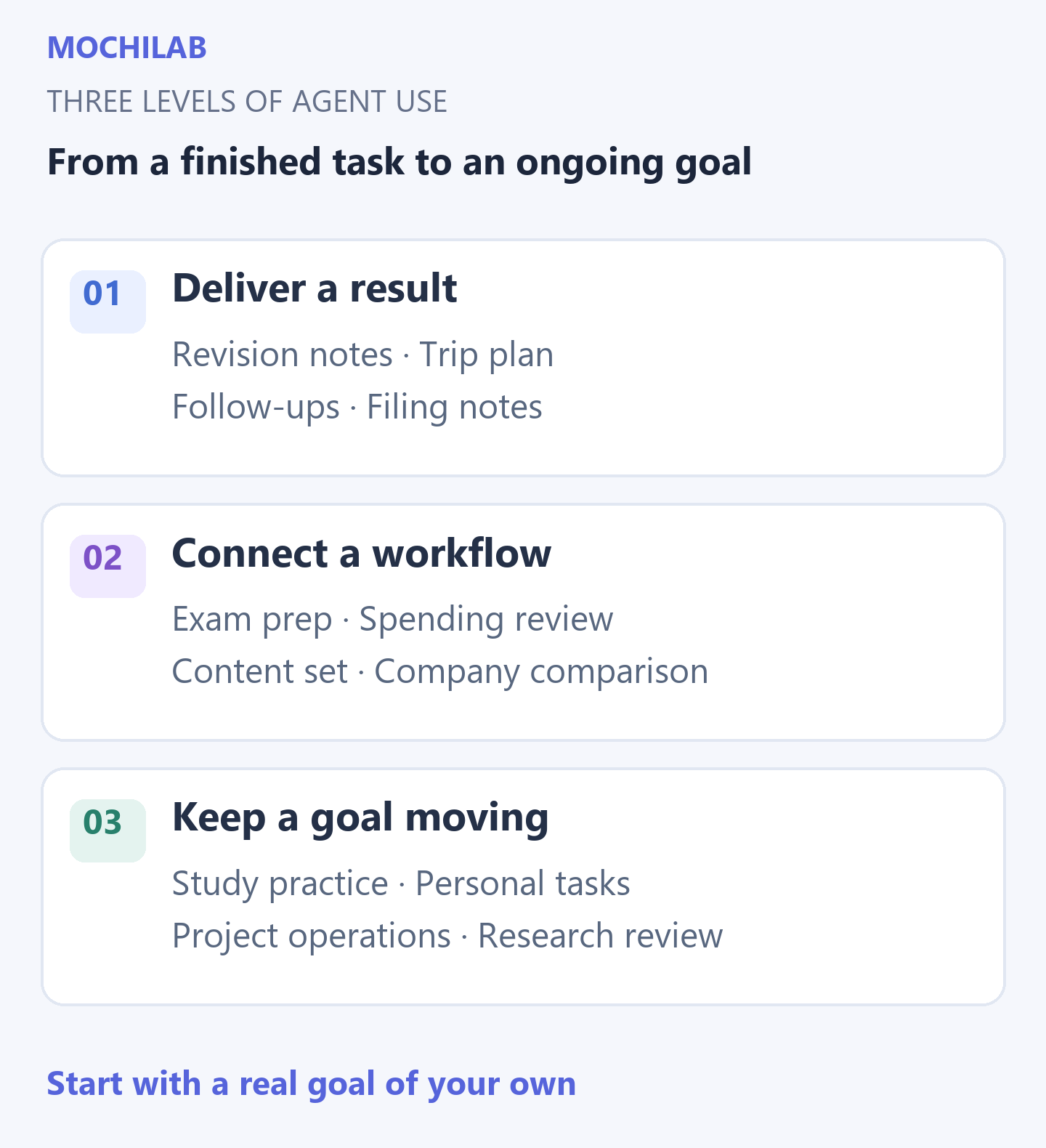
Level 1: hand over a task with a clear result
Start with material you already have and agree on what the finished result should look like.
Study: turn a chapter into something you can revise
Provide a textbook chapter, class notes and the exam scope. Ask for a topic outline, explanations of easily confused ideas and a set of self-test questions. Use your answers to identify what needs another explanation.
What you get: revision notes, practice questions and a clear list of topics to revisit.
Everyday life: put a trip into one usable plan
Give the destination, dates, travellers and budget. Combine itinerary ideas with confirmed flights and hotels, then organize transport, reservations and packing. When plans change, revise the affected parts.
What you get: a practical day-by-day plan and a list of bookings still to make.
Work: turn scattered messages into a follow-up list
Provide emails, meeting notes and conversation summaries. Identify what customers are waiting for, what you promised and who owns the next step. Prepare prioritized actions and reply drafts.
What you get: the people to reply to today, the work to move forward and drafts you can edit and use.
Investing: understand a report or announcement
Choose a question and work through a company's report. Extract revenue, profit, cash flow, business changes and management's explanations. Put important figures together with references to the source.
What you get: structured research notes that make the next questions easier to ask.
Level 2: connect the steps of a workflow
One step's result becomes the next step's input. Less of your time goes into moving information between notes, spreadsheets, web pages and conversations.
Study: plan and test your preparation for an exam
Bring together the exam date, syllabus, available study time and past mistakes. Break the work into stages, generate practice and use the results to reorder topics that need attention.
What you get: a study plan that follows your progress and an updated focus list after each practice session.
Everyday life: make a household spending report
Combine exported spending records, your budget and shared expenses. Standardize categories, identify duplicate entries, compare planned and actual spending, and highlight changes worth reviewing.
What you get: a readable account of where the money went, fixed expenses to revisit and a clearer plan for next month.
Work: build a set of content from one product brief
Provide product information, the audience, confirmed prices and source assets. Extract the selling points and produce website copy, social posts, customer FAQs and language variants. When facts change, identify every draft that needs updating.
What you get: a coordinated content set built from the same facts, instead of a blank page for every channel.
Investing: compare companies on the same basis
Choose companies, periods and research questions. Gather filings, align currencies, units and reporting periods, then compare business mix, growth, cash flow and debt. Keep unresolved questions alongside the evidence.
What you get: a comparison brief you can trace back to original documents, leaving more time for judgment.
Level 3: keep a long-term goal moving
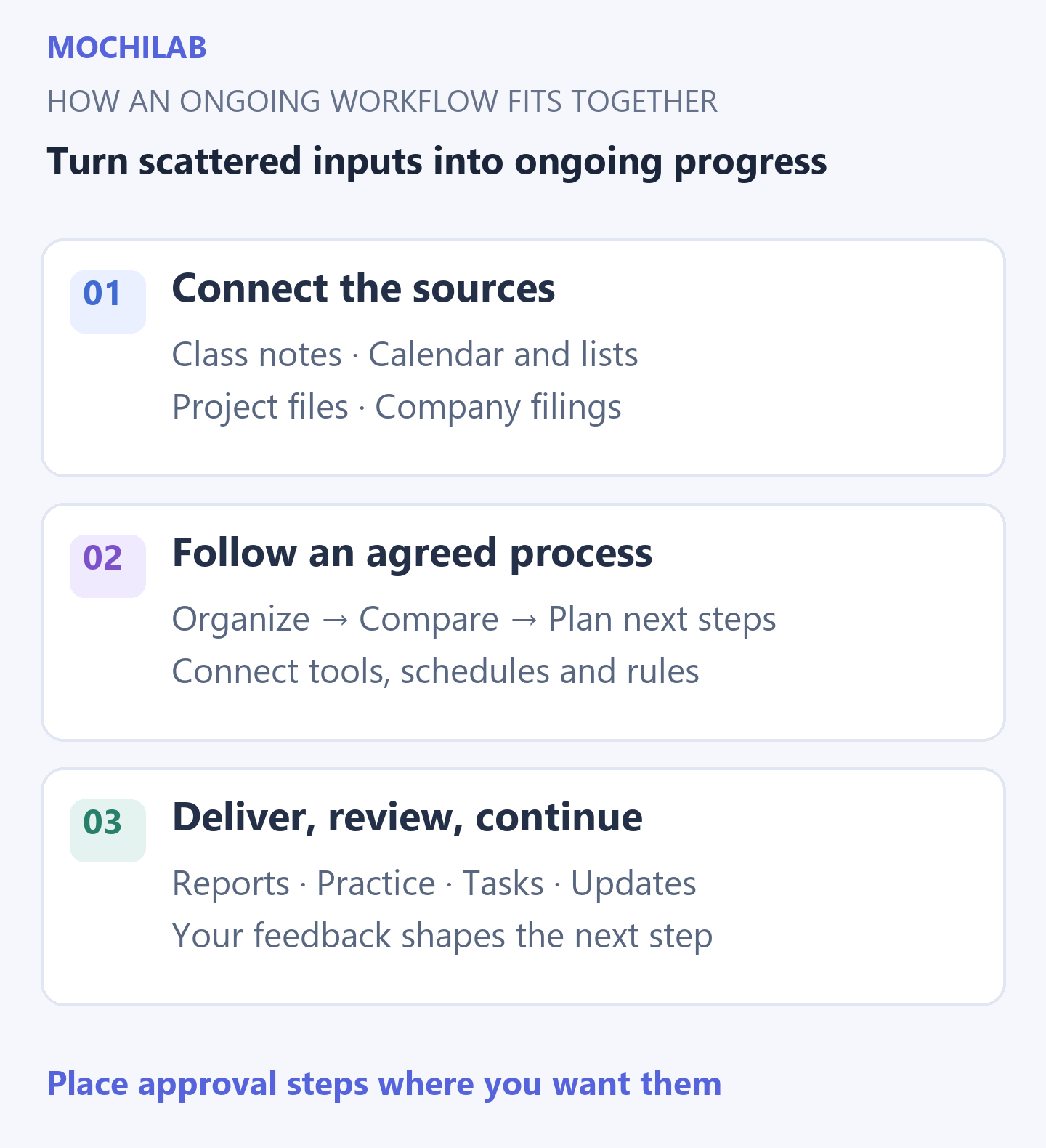
Once sources, tools, rules and schedules are connected, an agent can follow the agreed process over time. Chat apps become a place to receive results, add context and confirm actions.
Study: build a practice partner that remembers your progress
Keep track of covered topics, practice results and recurring mistakes. Arrange revision at agreed times and summarize remaining gaps before an exam. The same progress record can support language learning, professional exams or coursework.
What you get: a continuous learning record, targeted practice and a clear next step at each stage.
Everyday life: follow through on personal commitments
Connect a calendar, email and your own lists. Track bill dates, travel preparations, appointments and longer-term tasks. When new information affects the plan, surface conflicts and possible adjustments.
What you get: the few things that deserve attention today and follow-ups that might otherwise disappear in a busy inbox.
Work: keep a project, customer pipeline or website moving
For customers, connect lead organization, background research, draft replies and follow-up reminders. For projects, summarize progress, blockers and ownership. For a website, schedule page checks, collect issues and arrange follow-up verification.
What you get: an updated workboard and a focused list of decisions for you. Customer messages and public publishing can be placed after your approval.
Investing: build a research and review workspace
Maintain a watchlist and the reasons behind each research idea. Track new filings, results and events on an agreed schedule, identify what changed and compare it with earlier notes.
What you get: dated changes, source links, event reminders and material for your own review. Your research accumulates over time; trading decisions remain yours.
How the pieces fit together
The model interprets and analyzes. Tools read files, retrieve information and connect applications. A Skill supplies a method for a particular kind of work. Add source material, memory and scheduling, and individual tasks can become an ongoing workflow.
Start with a model, an existing Skill and material you already have. Connect the relevant tools and accounts when you add email, calendars, websites or live data. Build a long-term workflow in stages, starting with one part you can actually use.
MochiLab already has free Skills for file organization, meeting notes, translation checks, CSV processing, content rewriting, news digests and web notes. Future topic guides will cover the specific setup and steps for study, life, work and research.
Start with something that matters to you
Choose a recurring task, gather the material and define a result you can evaluate. For example:
I am preparing for an exam. Here are the syllabus, my notes and recent mistakes.
Organize the topics, identify my weakest areas,
and give me a realistic study plan for this week plus a first self-test.
Or choose your next trip, a household spending review, this week's customer follow-ups, or a comparison of recent company results. A concrete deliverable makes the agent's contribution easier to see.
New to setup? Choose an installation route. Already connected a model? Pick a free Skill and use it for a real goal of your own.
Further reading: OpenClaw tools ↗, scheduled tasks ↗. For investment research, start with original sources such as company investor-relations pages and SEC EDGAR filings ↗.