MOCHILAB / GUIDE
Linux: install OpenClaw from scratch
Install OpenClaw on Linux, connect a model and open the dashboard.
What you are building
The Linux computer or server runs the Gateway; your browser controls it. Hosting and model access are separate. Use the cloud vendor tutorial instead if your server already has a pre-installed OpenClaw image.
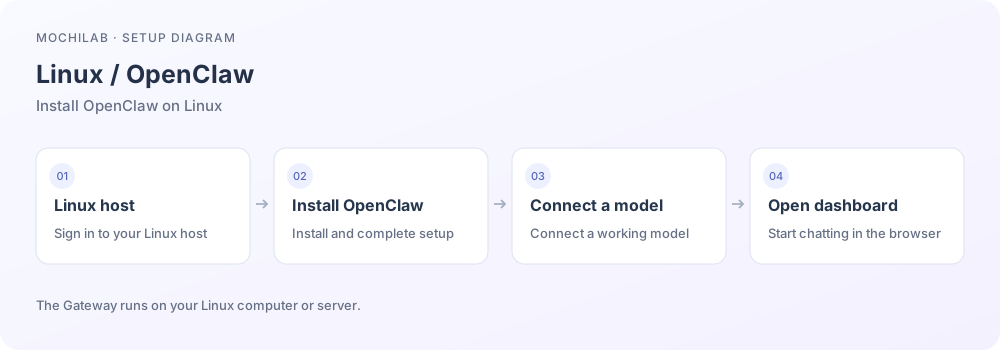
Start with terminal access, a network connection and a usable model account. Linux server overview ↗
1. Install and configure
Run the official installer on the intended Gateway host. Read its prompts before accepting runtime or system changes.
curl -fsSL https://openclaw.ai/install.sh | bash
If already installed, check openclaw --version first. Requirements are Node 24.16+ or 26.1+, with Node 26 recommended. The installer handles supported runtime setup. Runtime requirements ↗ · Installer details ↗
2. Connect one working model
Choose a provider or existing login you actually own. Enter API credentials privately in onboarding. If setup was skipped, run openclaw onboard. Send a simple message; once it replies, continue with channels or Skills. First run ↗
3. Install the background service
Stop a foreground quick-start Gateway with Ctrl+C first, then:
openclaw gateway install
openclaw gateway status
Linux uses a systemd user service. Check for a running runtime and successful connection check. Linux service guidance ↗
4. Open the correct dashboard
On the same desktop computer, run openclaw dashboard. On a headless server, use openclaw dashboard --no-open, then run this tunnel on your own computer and leave it open:
ssh -N -L 18789:127.0.0.1:18789 YOUR_USER@YOUR_SERVER
Open http://127.0.0.1:18789/ locally and authenticate as prompted. Each machine's loopback address refers to itself; SSH joins the two. If the remote Gateway uses another port, change the final 18789. Keep the Gateway private. Remote access ↗ · Dashboard ↗
5. Trying a free model
Choose a listed OpenRouter :free model variant and review its current quota. Follow free variants ↗ and OpenClaw's OpenRouter setup ↗. For a free trial, select the free variant directly rather than automatic routing. Hosting is billed separately.
6. Troubleshoot in order
Run openclaw status, openclaw gateway status, then openclaw doctor. Check PATH for a missing command, service/tunnel for an unreachable dashboard, and provider access/quota for missing model replies. Redact secrets before sharing errors. Troubleshooting ↗